














ACCURACY MACRO
Smoothness and precision
With many years of experience, we create highly accurate and smooth macros while keeping prices fair.
Rules and risks
Review the game's terms before use
We test the functionality of the stated configurations, but rules for macros vary by game, server, and tournament. Review the current rules before use and consider the possible risk of account restrictions.

GUARANTEE
If any issue appears, our support team is ready to help with setup and troubleshooting.

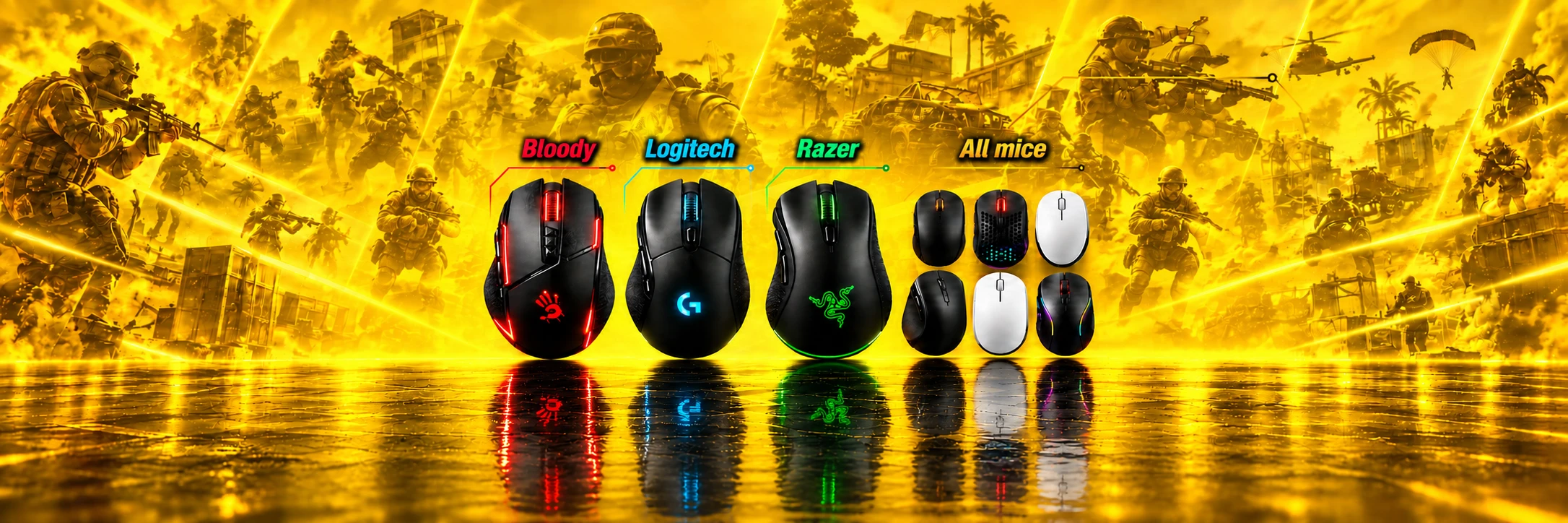
Rust Macros - Logitech, Bloody... Free Trial
High-quality and reliable solutions for effective recoil compensation.
9 years
of experience — working since 2017

About RUST
Imagine a world where every second is a fight for survival. Thirst, hunger, cold weather and dangerous rivals wait around every corner. You collect resources, build shelters and hunt to stay alive, but the biggest threat is always other players. Team up with those who also want to survive, build strong clans and defend your territory by every available means. In this harsh world, success depends on speed, discipline and teamwork.

Macro advantages
Feel how comfortable Rust can be when recoil is handled by a precise, well-tuned solution. A Rust recoil macro from topmacro.net helps you feel the difference from the first minutes. Forget chaotic spray patterns: every burst becomes easier to control, every shot feels more predictable, and every fight becomes more manageable.
- High precision: Each script is carefully tuned for recoil compensation on the supported Rust weapons and settings.
- Up-to-date products: We keep improving the products, update them when needed and offer current solutions for real gameplay conditions.

System requirements
For effective use of RUST mouse macros, make sure your operating system is supported: WINDOWS. If you use a mouse with onboard memory, you will also need the official software for your device. For Logitech devices, install G HUB. For Bloody mice, download Bloody 7. If you use an A4Tech X7 mouse, make sure you have the latest Oscar Editor version. Please note: the software version must match your exact device model. Some Rust macro options also work with regular mice; all available variants are listed in the catalog below.
Files downloaded from questionable websites can seriously threaten your computer and Steam account. Free versions often contain malware or stay outdated for too long, which usually leads to frustration instead of comfortable gameplay.
Macro catalog for RUST
Here you can buy professional Rust macros.
Do not be prey - become the hunter.
Razer - Full Pack
8.81USD
- For Razer mice with Synapse 4
- Used through cloud gaming
- Macros for crouched shooting
- Full Rust weapon set

Logitech - Full Pack
11.29USD
- .lua files for Logitech G HUB
- Full Rust weapon set
- Triggers only with RMB + LMB
- Automatic crouch / stand detection
Bloody / X7 - Full Pack
11.29USD
- For Bloody and A4Tech X7
- Full Rust weapon set
- Macros loaded into mouse memory
- Special LMB macros included

Premium Multiscript Logitech
25.26USD
- Custom .lua for sensitivity, FOV and ADS
- Hotkeys for switching macros
- Auto crouch/stand detection and RMB + LMB check
- Usually ready in 10-60 minutes
Bloody Mouse Block Bypass
8.42USD
- Only for Bloody mice
- USB reconnect without unplugging the cable
- Button, hotkey or timer
- Updates included with purchase
Custom Macro
4.04USD
- For your sensitivity settings
- For Logitech, Bloody / X7 and Razer
- For the needed weapons and buttons
- Prepared after the order
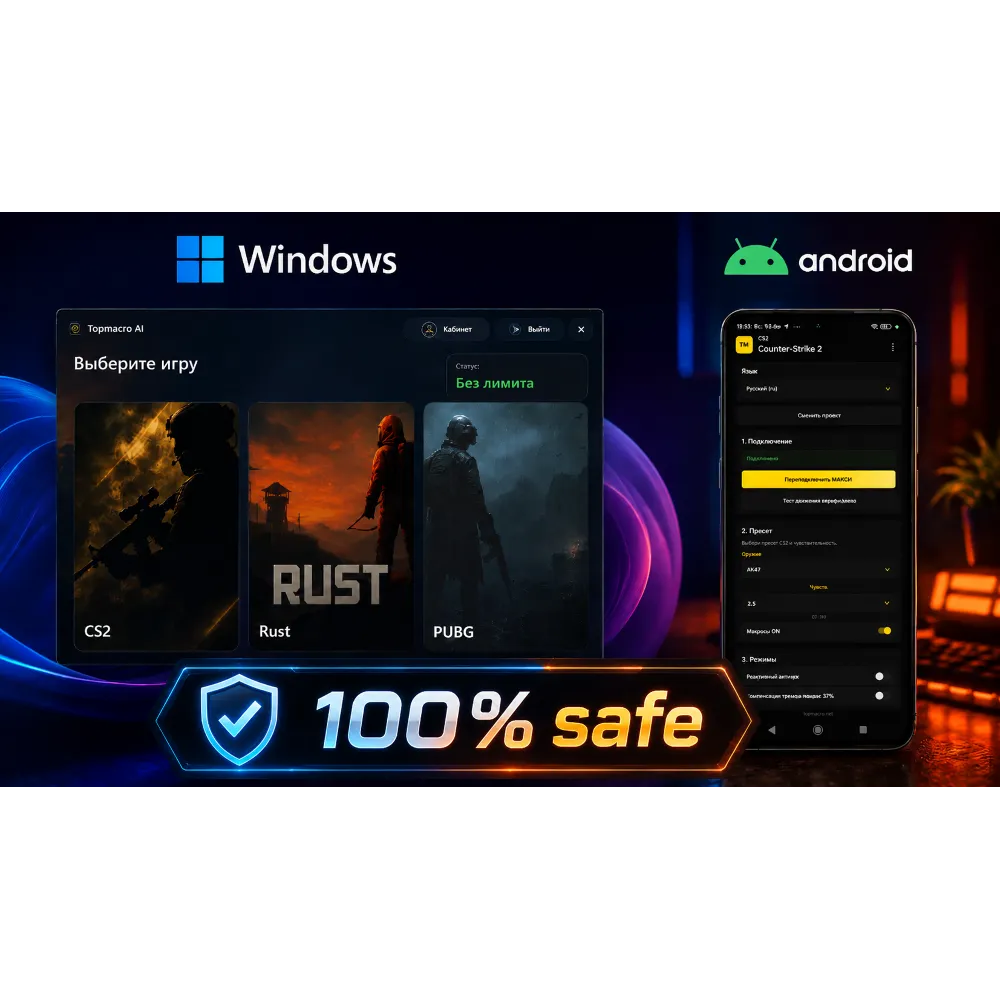
Unlimited AI Macros for All Mice
Premium macros
75USD
- All mice
- Weapon auto-detection + AI assistant
- RUST, CS2, PUBG
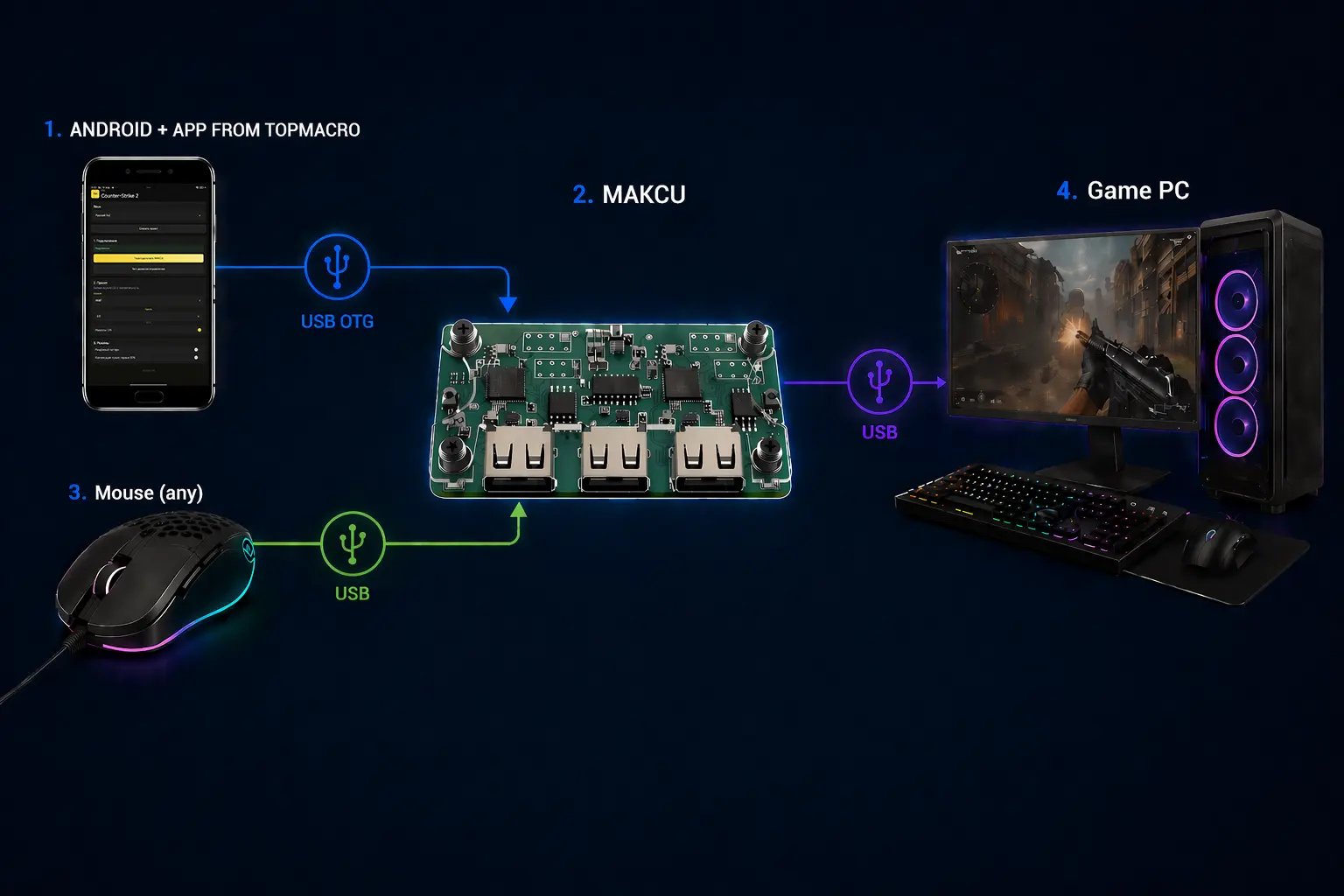
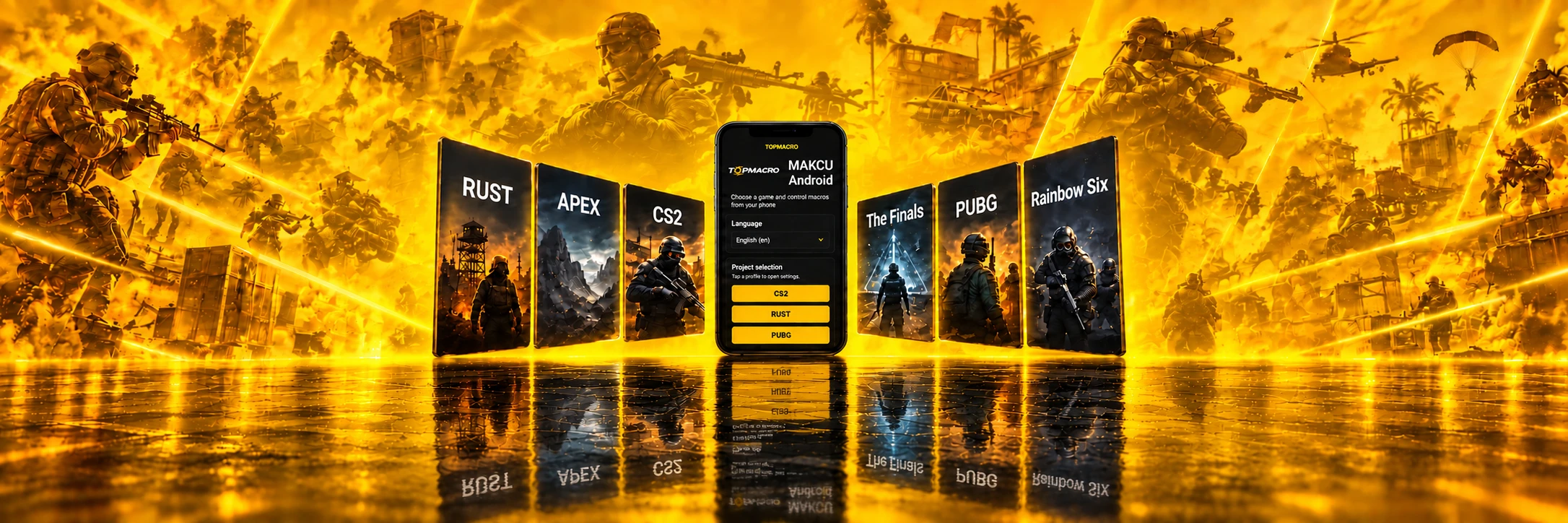
AI Macros for All Mice (Android + Makcu, Unlimited)
Premium macros
75USD
- Works with any mouse
- All macros run through an Android phone
- Nothing runs on the main PC

Bloody / X7 - Premium Pack
25.26USD
- Custom .amc files for sensitivity, FOV and ADS
- Iron sight, 8x and holo versions
- Crouched/standing shooting and RMB check
- Usually ready in 10-60 minutes

Universal Logitech Macro for Any Game
10.39USD
- 20 weapon profiles in one Lua script
- Adjustable vertical and horizontal compensation
- Switch profiles and adjust values with mouse buttons
- For Logitech G HUB, including G Pro Wireless
Rust descriptions and compatibility
Razer - Full Pack
Product Description
A complete macro package for Razer mice with Synapse 4 support. Suitable for Windows and designed for the preset FOV/sensitivity combinations listed below.
Logitech and Razer macros can still be used through cloud gaming. However, they will not work in normal Steam game mode because the RUST developers have blocked G HUB and Razer Synapse.
Supported FOV and sensitivity
| FOV | Sensitivity |
|---|---|
| 90 | 0.80 |
| 85 | 0.85 |
| 80 | 0.90 |
| 75 | 0.95 |
| 70 | 1.00 |
What's included in the Full Pack
- AK-47, Thompson, Custom SMG, MP5, M249 and LR-300.
- Semi-Automatic Rifle, Python Revolver, Revolver, M39, HMLMG, Nailgun and SKS.
- Separate options for 8x and holo sights where provided by the package.
- Macros for semi-automatic weapons with a high rate of fire.
Pre-launch setup
- FPS in the game must be at least 30.
- Mouse DPI can be adjusted separately: this does not affect how the macros work.
- A laser sight and an under-barrel flashlight are optional.
Important Terms
- The new recoil system has randomness: sometimes the weapon may move slightly to the left or right; this is corrected manually.
- Macros cannot fully compensate for recoil relative to the center of the screen on the new version of recoil.
- The most demanding weapons are MP5 and LR-300; for other weapons, the result is stable.
After payment
You will receive a link to an archive with macros and configuration information. The archive can be opened with WinRAR or any equivalent.
If you accidentally close the page with the link, you can recover it from the email sent after payment or through your Oplata.info account.
If you have any difficulties installing or using the macros, contact the seller on the purchase page for setup assistance.
Logitech - Full Pack
Product Description
Ready-to-use Full Pack of .lua macros for Logitech G-series mice.
- All Logitech G models are supported, including G Pro Wireless and other wireless models.
- Compatibility: all versions of Windows.
- Use Logitech G HUB.
Logitech and Razer macros can still be used through cloud gaming. However, they will no longer work in normal Steam game mode because the RUST developers have blocked G HUB and Razer Synapse.
Supported FOV and sensitivity
| FOV | Sensitivity |
|---|---|
| 90 | 0.80 |
| 85 | 0.85 |
| 80 | 0.90 |
| 75 | 0.95 |
| 70 | 1.00 |
If you need a complete set for your individual sensitivity, FOV and ADS, use Premium Multiscript Logitech.
Sensitivity Settings
- For an exact value, use the console command
input.sensitivity 0.80. - Be sure to set ADS with the command
input.ads_sensitivity 1. - Mouse DPI can be adjusted separately: this does not affect how the macros work.
How macros are enabled
- Use the mouse's side buttons to switch modes on and off.
- G4 - modes for 8x and holographic sights.
- G5 - mode without a sight.
- Compensation works only while RMB + LMB are held, so the macro does not activate in the inventory.
- There is automatic posture detection: standing or sitting. In a sitting position, the accuracy is approximately 2 times higher.
What's included in the Full Pack
- AK-47, including AK-47 Holo.
- Thompson, including Thompson Holo.
- Custom SMG and Handmade SMG.
- MP5 and MP5 Holo.
- M249 and M249 8x.
- LR-300 and LR-300 Holo.
- Semi-Automatic Rifle and Semi-Automatic Rifle 8x.
- Python Revolver, P250, Revolver and M92.
- M39 and M39 8x.
- HMLMG and HMLMG Holo.
- Glock 17, SKS and SKS 8x.
Important Terms
- The recommended FPS in the game is at least 50.
- On the new recoil system there may be a slight randomness to the left or right; this is adjusted manually.
- The macro cannot 100% compensate for recoil relative to the center of the screen on the new version.
- The most difficult weapons to compensate for are MP5 and LR-300; for other weapons, the result is stable.
- The maximum possible recoil compensation has already been implemented.
Recommendations for Logitech G HUB
Use only Logitech G HUB. Do not link macros to your game profile: use the "desktop" profile and set it as permanent in the settings.
After payment
You will receive a link to the archive with macros and instructions. If you accidentally close the page, you can recover the link from the email sent after payment or through your Oplata.info account.
Technical support
All macros are manually tested. If a macro does not work as shown in the video, the issue is usually caused by the user's settings. Contact the seller on the purchase page for installation, configuration or replacement assistance.
We wish you a pleasant game with macros from TopMacro.
Bloody / X7 - Full Pack
Product Description
Ready-to-use Full Pack of macros for Bloody and A4Tech X7 mice with onboard memory. Make sure your mouse supports Bloody 7 or Bloody 8 Workshop.
Before purchasing, familiarize yourself with the operating requirements for Bloody/X7 in RUST. To use macros with a Bloody mouse, you will also need a program that safely restarts the mouse automatically.
Important information on Bloody/X7Open Bloody bypass
What's included in the Full Pack
- AK-47, LR-300, MP5 and M249.
- Semi-Automatic Rifle, M39, Thompson, Custom SMG and HMLMG.
- Python Revolver, P250, Revolver, Beretta and Glock 17.
- Macros for semi-automatic weapons with a high rate of fire.
- The archive includes LMB options for X7 mice.
Supported FOV and sensitivity
| FOV | Sensitivity |
|---|---|
| 70 | 0.80 |
| 75 | 0.75 |
| 80 | 0.70 |
| 85 | 0.66 |
| 90 | 0.62 |
If you want a complete package for your personal sensitivity, FOV and ADS, choose the Premium package for Bloody / X7.
Open Bloody / X7 - Premium package
Pre-launch setup
- Set the sensitivity with the console command
input.sensitivity 0.80to get the exact value. - Be sure to specify ADS with the command
input.ads_sensitivity 1. - Mouse DPI can be adjusted separately: this does not affect how the macro works.
Important Terms
- The mouse must be an A4Tech X7 or Bloody model with onboard memory.
- The recommended FPS in the game is at least 30.
- A laser sight and an under-barrel flashlight are optional.
- The new recoil system has randomness: sometimes the weapon may move slightly to the left or right; this is corrected manually.
- The most problematic weapon is MP5; for the other weapons, the result is stable.
After payment
You will receive a link to the archive with macros and setup instructions. The archive can be opened with WinRAR or any equivalent.
If you accidentally close the page with the link, you can recover it from the email sent after payment or through your Oplata.info account.
If you have any difficulties installing or using the macros, contact us on Telegram or contact the seller on the purchase page for setup or replacement assistance.
Premium Multiscript Logitech
Product Description
For all Logitech G-series mice, including wireless models.
Logitech and Razer macros can still be used through cloud gaming. However, they will not work in normal Steam game mode because the RUST developers have blocked G HUB and Razer Synapse.
Combination options
Combinations are created using keyboard keys and mouse buttons.
- Keyboard: CTRL, ALT and SHIFT - left and right versions, 6 keys in total.
- Logitech G102 mouse: G3 - wheel press, G4 - front side button, G5 - rear side button, G6 - DPI shift button, which can be disabled in G HUB.
The macro will work on all Logitech G models. The more additional buttons the mouse has, the more options you can configure for switching weapons and sights. When purchasing, you can specify the required keyboard and mouse-button combinations.
Default Binding Example
What to provide after ordering
- Your sensitivity.
- FOV - field of view.
- Hotkey combinations if you need your own bindings.
The completed .lua macro is usually ready within 10-60 minutes and is sent to the purchase-page chat on Oplata.info. You can also receive the file through the site chat or Telegram upon request.
Benefits
- There is no recoil if you are not in sight: the RMB hold check is used.
- The macro detects posture and works while sitting or standing.
- 1ms softness - fast and smooth response.
Additional information
Macros are suitable for Logitech G-series mice. For operation, we recommend using only Logitech G HUB.
Important: Do not link macros to your game profile. Use the default "desktop" profile.
We wish you a pleasant game with macros from TopMacro.
Bloody Mouse Block Bypass
Product description
Bloody Mouse Block Bypass
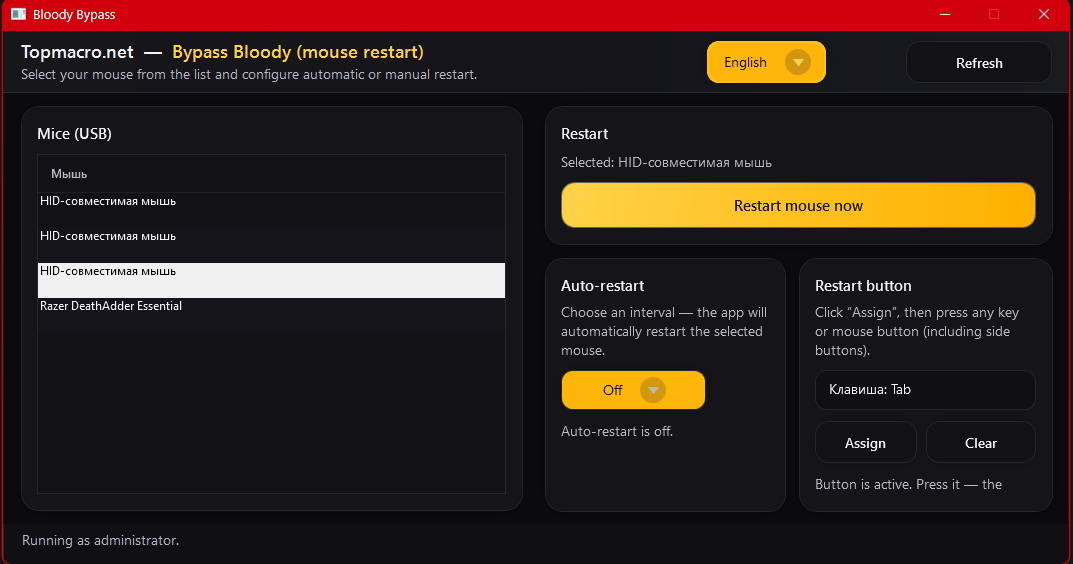
The solution quickly reconnects a USB mouse without physically unplugging the cable. This helps you continue using Bloody macros in RUST when the game blocks blacklisted mice.
What is important to know
- Only for Bloody mice.
- The operating method does not determine whether use is permitted. Review the current rules for the game before use.
- One-time purchase - all future updates are free.
- The license works on one computer.
- All interface languages are supported.
Operating modes
| Mode | How to use |
|---|---|
| Manual start | Reconnect the mouse with a button in the program. |
| Hotkey | Restart using the selected key combination. |
| Timer | Automatically restart the Bloody mouse every few minutes. |
Recommended Setup for RUST
- Load the necessary macros into the Bloody mouse's onboard memory in advance.
- Keep a second regular mouse nearby for movement and general gameplay.
- Enable automatic restart for Bloody every 2-5 minutes.
- Play with the second mouse so that brief reconnections do not interfere.
- When you need to shoot with macros, use the Bloody mouse and its loaded macros.
Usage Notes
- During reconnection, the mouse may freeze for about 0.5-1 second.
- If you do not want to notice this pause during play, use the setup with a second mouse.
- The program does not remove the mouse from the blacklist, but it helps bypass disconnections through automatic reconnection.
Support
If you have any questions about setup or operating modes, contact us on Telegram or contact the seller on the purchase page.
Macros for all mice / Macros for all mice (Android + Makcu) / All mice (PC) / All mice · Android · Makcu
Product Description
More details on RUSTMakcu setup
What's included in the subscription
- Access to the Windows program with macros and an AI assistant.
- Preset recoil macros for the main arsenal.
- Automatic recognition of current weapons, attachments and sights.
- Access to the Android application for use with Makcu.
- Automatic application updates that preserve your settings.
How the AI Assistant Works
Introducing your personal AI aiming assistant.
The solution is based on our own neural network model, trained on 30,000+ screenshots from the game. You only need to hold down the left mouse button: if an enemy is in your field of view, the program will automatically perform the aiming for you or help you aim accurately at the target.
Suitable for
- Any gaming or office mouse: Logitech, Razer, Bloody, X7 and other models.
- Any screen resolution and DPI.
- Any aiming sensitivity - from 0.1 to 10.0 and higher.
- Supported languages: Russian, Ukrainian, English, German, Chinese, Traditional Chinese, Spanish, Portuguese, French, Polish, Turkish, Italian, Japanese and Korean.
Key Features
- Optional GPU mode for maximum processing rate; if no graphics card is available, it runs on the CPU.
- Configurable confidence threshold: balance between detection accuracy and the number of false positives.
- Adjustable pointing smoothness: 0% - lightning fast, like hard AIM; 100% - as natural as possible, imitates the player's hand.
- Target priority: choose which part of the body the program will try to target.
- Intelligent "Sniper Mode" for CS2.
- Pre-installed turnkey recoil macros for the entire arsenal.
- Automatic recognition of the current weapon and its attachments.
- Automatic match acceptance in CS2.
- Cursor visibility check: the macro does not interfere while you are working in a menu or on the desktop.
- The program can be configured for any PC, even a very weak one.
Compatibility
| Scenario | What is required |
|---|---|
| CS2 Steam | Makcu is optional for normal mode. |
| RUST | Makcu is required. If you play through a cloud gaming service such as GeForce NOW, you do not need a Makcu board. |
| CS2 Faceit | Makcu is required. If you play through a cloud gaming service such as GeForce NOW, you do not need a Makcu board. |
| PUBG | Makcu is currently optional. |
| Apex | Makcu is required. If you play through a cloud gaming service such as GeForce NOW, you do not need a Makcu board. |
| The Finals | Makcu is currently optional. |
| Cloud gaming | Makcu is usually not needed. |
System requirements
Choose your connection setup.
Windows
One PC
The game and TopMacro run on the same computer.
- Macros: TopMacro does not need a dedicated graphics card.
- AI Aim: we recommend 16 GB RAM and a modern processor with 6 or more cores. A more powerful processor is better. A dedicated graphics card is recommended when using a large detection area.
- The computer must handle the game and TopMacro at the same time.
- No capture card needed.
Windows + MAKCU
Two PCs: macros
The game runs on the main PC, TopMacro on the second.
- Second PC: modern 4-core processor, 8 GB RAM.
- Integrated graphics are enough for manual weapon selection.
- MAKCU: USB1 to the gaming PC, USB2 to the second PC, USB3 to the mouse.
- Automatic weapon recognition also needs the game image on the second PC.
Windows + MAKCU
Two PCs: AI Aim
The game runs on the main PC; AI Aim processes video on the second.
- Second PC: 4–6 modern cores, preferably 16 GB RAM.
- Compatible NVIDIA GPU with at least 6 GB VRAM recommended.
- MAKCU: USB1 to the gaming PC, USB2 to the second PC, USB3 to the mouse.
- Game video is required. We recommend a low-latency USB 3.x capture card with actual 60 fps capture.
Android + MAKCU
PC + Android
The game runs on the PC, macros on the phone.
- Android 8.0 or newer with OTG support.
- Type-C to USB-A OTG adapter or a compatible OTG cable.
- MAKCU: USB1 to the gaming PC, USB2 to the phone, USB3 to the mouse.
- The phone needs internet access and an active TopMacro subscription. No second PC needed.
For Windows: Windows 10 / 11 (64-bit), internet access and an active subscription. We recommend an SSD with 10–15 GB free for installation and updates.
These specifications are guidelines, not tested minimum requirements. AI Aim needs spare processing capacity.
After payment
You will receive a subscription key and instructions. When an update is released, the launcher will download the new version and update automatically.
Bloody / X7 - Premium Pack
Product description
Bloody / X7 - Premium Pack
Individual Full Pack of .amc macros for Bloody and X7, configured for your sensitivity, FOV and ADS.
Before purchasing, be sure to read about the specifics of using Bloody/X7 in RUST. To play with macros on a Bloody mouse, you will also need a program that safely restarts the mouse automatically.
Important information on Bloody/X7Open Bloody bypass
What's included in the Premium Pack
- Macros for iron sights for all weapons.
- Separate versions for the 8x sight.
- Holo macros for the holographic sight.
- Macros for shooting while sitting and standing.
- Options with an RMB + LMB check: control is activated only when aiming.
- Standard options for situations where the RMB check is not needed.
What to provide after ordering
- Your mouse sensitivity.
- FOV - field of view.
- ADS - sensitivity multiplier when aiming.
- If necessary, provide your preferred macro options and sights.
How does the Premium Pack differ from the regular package?
| Regular package | Premium Pack |
|---|---|
| Ready basic settings. | Adjusted to your sensitivity, FOV and ADS. |
| Limited options. | More versions: sitting, standing, RMB + LMB, regular, 8x and holo. |
| Quick start. | Flexible settings for your game and mouse. |
Benefits
- Recoil does not affect without aiming in versions with the RMB check.
- There are options for sitting and standing shooting.
- 1ms softness - fast and smooth response.
- Automatic shooting for semi-automatic weapons: pistols, Semi-Automatic Rifle, M39 and others.
Preparation and delivery
It usually takes 10-60 minutes to prepare. The completed Full Pack with .amc macros is sent to the purchase-page chat on Oplata.info.
You can also receive the file through the site chat or Telegram upon request.
These macros are suitable for X7/Bloody mice with onboard memory. Make sure your mouse supports Bloody 7 or Bloody 8 Workshop.
Custom Macro
Product description
Important: in the regular Steam version of RUST, Logitech macros through G HUB and Razer macros through Synapse are blocked. Ordering a custom macro does not remove this restriction. Contact us before payment to confirm your setup. Learn more about bypassing mouse blocks
Custom Macro
An individual macro or multiscript prepared for your settings.
If you plan to buy several macros separately, keep in mind that each script will appear as a separate entry in G HUB. To switch between them, select the required macro directly in the G HUB window. We also offer a custom multiscript service based on your button bindings and required weapons. Use the macro order form and select "Order". If you want to combine macros that you have already purchased on the site, select the "One multiscript" service. If you have questions, contact TopMacro on Telegram.
- For your sensitivity settings
- For Logitech, Bloody / X7 and Razer
- For the weapons and buttons you need
- Prepared after the order
Important: The final result depends on the parameters you provide in the order form. If you have questions, contact TopMacro before ordering.
For the X7/Bloody option: These macros are suitable for X7/Bloody mice with onboard memory. Make sure your mouse supports Bloody 7 or Bloody 8 Workshop.
Universal Logitech Macro for Any Game
Product description
Conditions for stable operation:
- Mouse — Logitech G Series.
- Supported mouse models (the list may be incomplete): MX518, G102, G305, G403, G402, G Pro, G502, G603, G604, G703, G903, and G900.
- G Pro Wireless is also supported.
Please note: since the vertical and horizontal compensation strength can be adjusted using the side mouse buttons, the script can be adapted to virtually any weapon in any game. However, it will not provide effective recoil compensation “out of the box” without prior configuration.
Please also note that this macro cannot compensate for weapon recoil with absolute perfection. For the highest possible level of compensation for a specific weapon or every weapon in a game, choose a ready-made FULL PACK bundle or order individual macros.
This script allows you to adjust the strength of vertical and, optionally, horizontal recoil compensation. The G5 and G4 buttons are used to increase or decrease the compensation strength. This allows you to configure the script to compensate for the vertical recoil of virtually any weapon.
One universal Lua script for configuring recoil compensation in almost any game. You do not need to install a separate macro for every weapon — all required values can be adjusted directly during gameplay using the mouse buttons.
Main Features
- 20 independent weapon profiles in one script.
- Precise vertical compensation adjustment in increments of 0.10.
- Additional horizontal movement adjustment.
- Each profile stores its own vertical and horizontal values.
- Quick switching between weapons without editing the code.
- Export of all configured values for permanent storage.
- Fixed movement interval of 10 ms.
- Detailed offline instructions in 14 languages.
- Optimized compensation activation for Logitech wireless mice.
Script Controls
- G3 — mouse wheel click: enable or disable compensation.
- G4 / G5: decrease or increase vertical compensation.
- Ctrl + G4 / G5: adjust horizontal movement to the left or right.
- Shift + G4 / G5: switch between the 20 weapon profiles.
- Ctrl + Alt + G3: export all configured values.
This is a universal, customizable script, not a ready-made set of preconfigured values for a specific game or weapon.
Thanks to adjustable vertical and horizontal compensation, the script can be adapted to different weapons, mouse sensitivities, and in-game settings. However, suitable values must be configured manually before use.
The final result depends on the game mechanics, sensitivity settings, resolution, weapon characteristics, and the presence of randomized horizontal recoil.
For ready-made settings for a specific game and weapon, we recommend choosing the FULL PACK bundle.
After payment, you will instantly receive a link to download an archive containing the macros and setup information. The archive can be opened using WinRAR or any other compatible archiving program.
If you accidentally close the page containing the download link, you can restore access by following the link in the email sent to your email address after payment.
You can also access your personal account at oplata.info, where your purchase will be displayed.
Additional Information:
These macros are suitable for Logitech G-Series mice.
Review source: Digiseller. You can leave a review of your purchase on your order page at Oplata.info. Share your honest opinion of your purchase, whether positive, neutral or negative.
We wish you an enjoyable game with macros from TopMacro.

Cloud updates
Instant responseOnly 1 ms delay
24/7 support
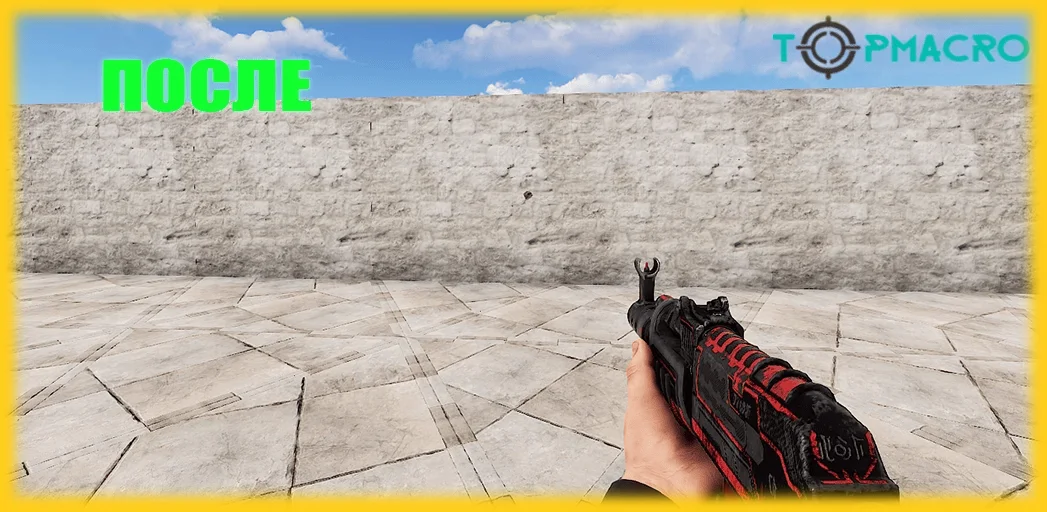
Example of RUST macros in action
VideoPractical guide to choosing macros for the Rust game
If you want to use macros in Rust but do not fully understand how to set everything up yet - message us in Telegram. We will guide you through every step in detail: from purchase to full in-game macro testing.
Logitech, Razer, Bloody, X7 + cloud gaming
This is relevant for players whose own PC does not provide enough performance for RUST. It is a safe scenario because the game runs in the cloud rather than on your computer. You can play through any cloud service, for example GeForce NOW. If you do not want to use cloud gaming, consider the other macro options for your mouse.

Bloody + bypass through mouse restart
A working scenario for Bloody: quick device restart helps bypass the Core3 kernel blocking issue. Automatic restart is handled by our fast mouse reboot utility - learn more. The downside is that the Bloody mouse must be restarted regularly.

Our AI program + Makcu board (2-PC mode)
The best option on the list for stability and safety: Makcu is an external board connected to your main PC, your mouse, and any second PC, laptop, or Android phone, where you simply run our macro program. Learn more.

Our AI program + Makcu board (1-PC mode)
A flexible option with broad functionality, including automatic weapon detection, crouch/stand checks and a personal neural AI aiming assistant for more precise target acquisition. It works with any device, but because it uses a software component, it should be chosen consciously.

Our AI program + cloud gaming
Makcu is not required for this scenario. It is very relevant for players whose PC is not powerful enough for RUST. When playing through cloud gaming, you can use all program features. Final comfort depends on latency, connection quality and service settings.
Our Android app + Makcu board + your PC
The Android macro application is our own development and currently has no direct equivalent. This method is highly relevant because it does not require a second PC: a Makcu board and an Android phone are enough. The app lets you assign macros to mouse buttons, select sights and adjust sensitivity for your setup. For RUST, this is the most convenient way to remove weapon recoil. Learn more

Best solution for playing RUST with macros
At the moment, the strongest option by relevance is using a Makcu board. If you need a setup without a board, the optimal solution remains Bloody with the automatic mouse restart bypass.
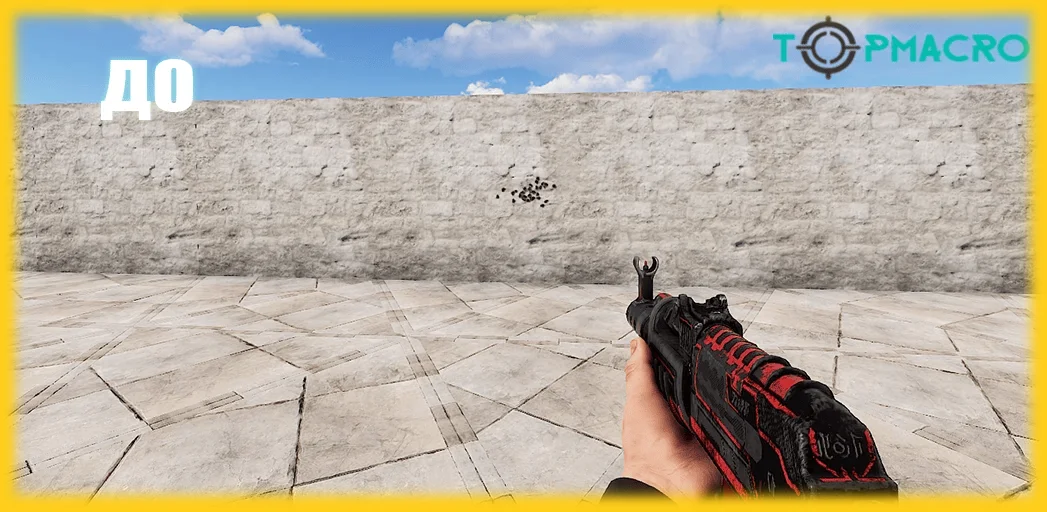
Free macros for all mice
One-day free trial key
Register in your account and get a free key for one day. The trial key is available for solutions marked as offering trial access.
"Download RUST macros" is a phrase many players type into search at least once, hoping to find a good and current script for a specific weapon. In practice, the results often disappoint: the script either works incorrectly or infects the computer with malware.
Creating scripts is not only technically difficult but also time-consuming, and it requires constant updates. Very few people are ready to do that work properly for free.
If you want to download RUST macros that are actually effective and carefully tuned, pay attention to private versions. Naturally, they are not available in open access.
All reviews on the site are posted only by real buyers. Every operation, including payment, seller communication and review posting, is handled through the trusted DigiSeller platform and the Oplata.info payment service. You can verify review authenticity yourself by pressing the Buy button. In the browser address bar, you will see that payment goes through DigiSeller.market. After the purchase, an account linked to your email is created with a personal order page. On that page, you can download the purchased product, contact the seller or leave a review.
How to buy RUST macros
Purchase process
We provide recoil-control solutions for the main arsenal, including AK-47 macros, Semi-Automatic Rifle, Thompson, P250 and many other weapons. To buy RUST macros, choose the product you need, select a convenient payment method and press the Buy button. You will be redirected to a page where you enter your email address, which will be used as your login for Oplata.info purchases, and complete payment. The archive with instructions becomes available for download immediately after successful payment.
The purchased product is delivered as a RAR archive that can be opened with any archive manager, for example WinRAR.
All macros have been tested repeatedly and are fully up to date. If you experience any problems, contact the administrator on Telegram.
Related videos
-
RUST macros: recoil compensation video
RUST macro demonstration on a practice range, with different weapons, sight changes, and a text walkthrough of the recording.