


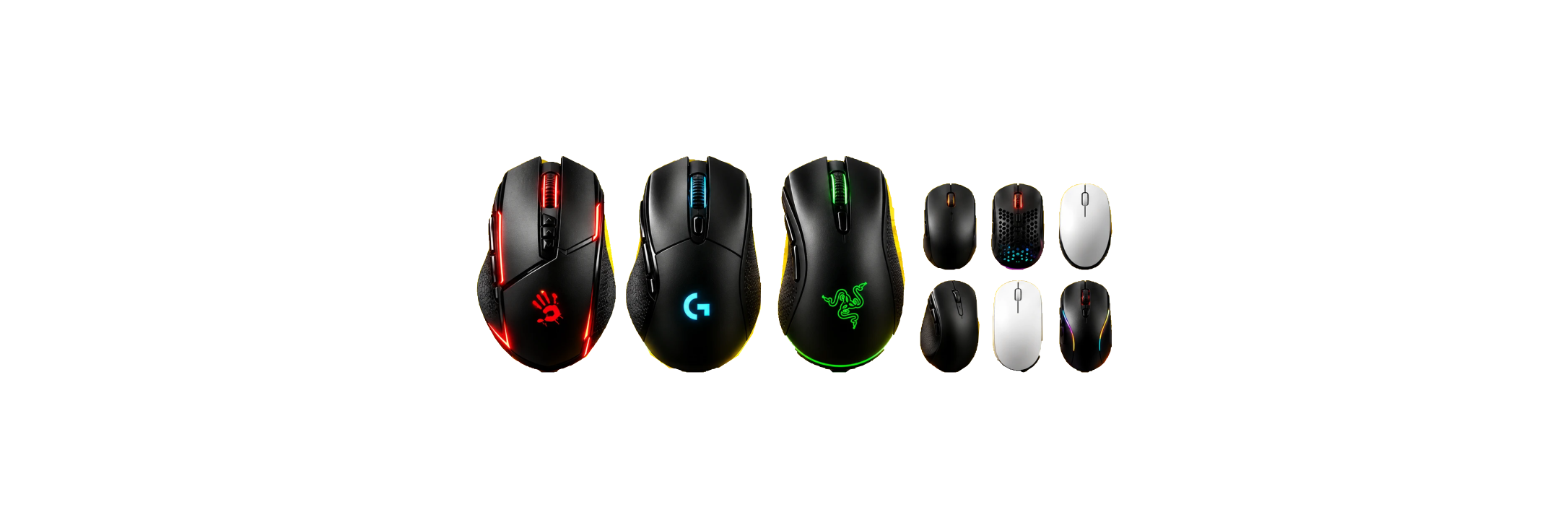
PRECISION MACROS
Smoothness & precision
Based on extensive hands-on practice, we build macros that feel as smooth and accurate as possible, while keeping the price fair and accessible.
Rules and risks
Review the game's terms before use
We test the functionality of the stated configurations, but rules for macros vary by game, server, and tournament. Review the current rules before use and consider the possible risk of account restrictions.

GUARANTEE
We stand behind the quality.


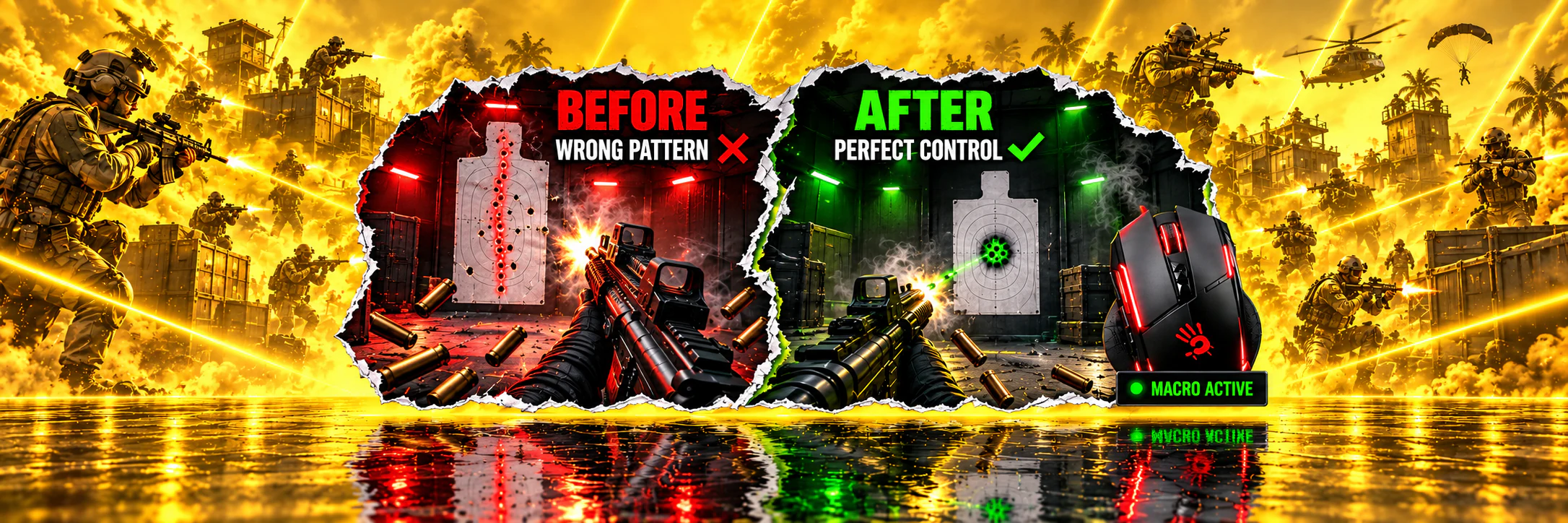
PUBG No-Recoil Macros for Logitech, X7, Bloody, and Razer Mice
Reliable, time-tested recoil-control macros for PUBG that make shooting more comfortable across popular mouse brands and software ecosystems.
9 years
experience — since 2017

About the game
BATTLE ROYALE is a multiplayer online battle royale where up to 100 players fight on a large map to be the last one standing. You can choose Solo, Duo, or Squad (up to 4 players). The winner is the last surviving player or the last surviving team.

Why it helps
A PUBG recoil macro from TopMacro.net can make spray control more consistent, especially while you are still learning the game. With less time spent correcting recoil, you can focus more on positioning, timing, and teamwork.

System requirements
To use PUBG mouse macros, you need Windows and the official software for your mouse model. Logitech mice use G HUB, Bloody mice use Bloody 7, and A4Tech X7 mice use Oscar Editor. We also provide software-based options for standard mice without onboard macro memory.
Avoid PUBG macros from unknown sources. They may contain malicious files, be abandoned for years, or depend on outdated software. Use files from a trusted source and check that they match your mouse model and current game settings.
PUBG Macro Catalog
Top macros for branded mice with macro support, plus our proprietary macro program for all mice.
Take first place.

PUBG Full Pack for Logitech (Adjusted to Your Sensitivity)
11.29USD
- Tuned to your in-game settings
- Macros for crouching, standing and prone
- Maximum possible compensation
- Macros for 1x and 2x sights

Premium Script Pack for Logitech (All Builds + 2 Multiscripts)
28.87USD
- Premium Multiscript ALL in 1
- One script for all weapons
- Switch with hotkeys
- Tuned to your sensitivity

Premium Macro Pack for Bloody/x7 (All Builds)
28.87USD
- For A4Tech X7 and Bloody
- Tuned to your in-game settings
- All weapon builds and stances
- LMB + RMB activation protection

Razer Full Pack for PUBG (New)
11.29USD
- For Razer Synapse 4
- Tuned to your in-game settings
- Maximum possible compensation
- Macros for the entire arsenal

Premium Razer Synapse 4 Macro Pack (All Builds)
28.87USD
- For Razer Synapse 4 mice
- Adjusted to your sensitivity settings
- All weapon builds, attachments, and scopes
- Maximum possible compensation

Full Macro Pack for Bloody/x7 (New)
11.29USD
- For A4Tech X7 and Bloody
- Tuned to your in-game settings
- Maximum possible compensation
- Macros for 1x and 2x sights: crouching, standing and prone

Macros for Any Mouse (7-Day Key)
Premium macros
3USD
- Works with any mouse
- Weapon auto-detection + AI assistant
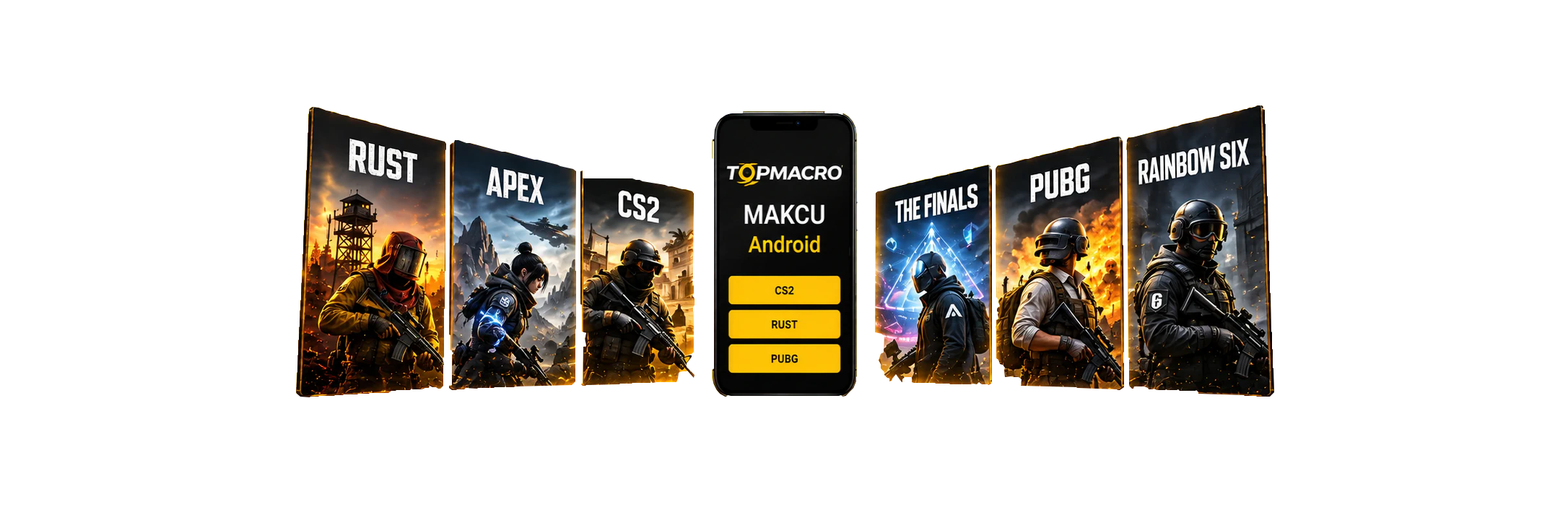
- 1 subscription for RUST, CS2, PUBG, Apex, The Finals; Valorant, Rainbow Six (in development)
- Makcu board support
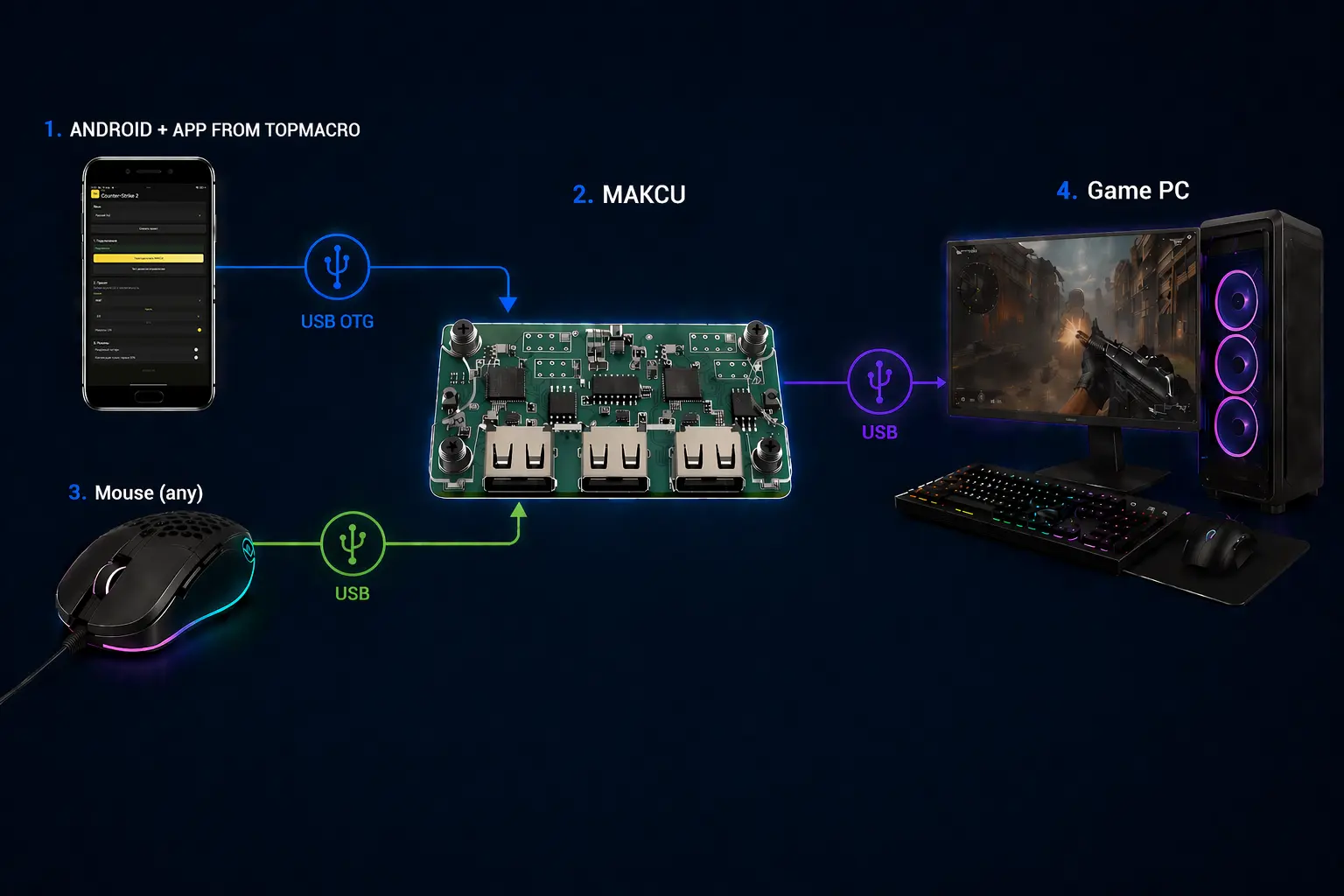
Macros for Any Mouse (Android + Makcu, 7-Day Key)
Premium macros
3USD
- Works with any mouse
- RUST, CS2, PUBG, Apex, The Finals; Valorant, Rainbow Six (in development) in 1 subscription
- Nothing runs on the main PC
- PC connection via MAKCU + Android

Universal Logitech Macro for Any Game
10.39USD
- 20 weapon profiles in one Lua script
- Adjustable vertical and horizontal compensation
- Switch profiles and adjust values with mouse buttons
- For Logitech G HUB, including G Pro Wireless

Custom macro
4.04USD
- For your sensitivity settings
- For Logitech, Bloody / X7 and Razer
- For the needed weapons and buttons
- Prepared after the order
Cloud updates
Instant responseOnly 1 ms delay
24/7 supportHelp with setup and configuration
PUBG descriptions and compatibility
PUBG Full Pack for Logitech (Adjusted to Your Sensitivity)
Product description
🖱 Mouse — Logitech G-series
Supported models (the list may not be complete):
MX518, G102, G305, G403, G402, G Pro, G502, G603, G604, G703, G903, G900.
G Pro Wireless is supported.
⚙️ In-Game Sensitivity
By default, this pack is configured for the standard in-game sensitivity settings. Go to Game Settings → Controls → Mouse Sensitivity and click the Default button.
If you prefer playing with different sensitivity settings, you can contact the seller after purchase via Telegram or the Oplata.info chat and request a replacement pack configured for any other sensitivity settings.
💡 Tip:
Changing your mouse DPI may also help make the game more comfortable.
This will not affect how the macros work.
🛠 Macro Features:
- Each macro is created separately for each weapon, taking its unique recoil into account.
- The pack includes macros for all stances: standing, prone, and crouching.
- Maximum possible recoil control.
- The pack includes macros with LMB + RMB protection: these macros activate only when both RMB and LMB are held down. This prevents accidental activation when throwing grenades, looting, and performing other actions.
📦 This Full Pack includes macros for all weapon types with 1x and 2x scopes, without attachments.
⚠️ Please note: if you need macros for every possible weapon setup, including all attachments and sights with different magnification levels, we recommend purchasing the Premium Pack.
⚠️ WARNING:
PUBG has strong random vertical and horizontal recoil,
so creating a 100% perfect macro is impossible.
Macro Controls:
Macros can be enabled and disabled using the G5 button, which is the left-side button on the mouse.
An ON/OFF option using Caps Lock is also available—you can choose whichever method is more convenient for you.
⚠️ IMPORTANT:
All macros have been thoroughly tested. If a macro pulls your aim strongly upward or downward,
the most common cause is a settings mismatch.
Contact the seller through your purchase page and we will help you check the configuration.
🔧 Do not use any attachments with this Full Pack. The maximum supported scope is 2x!
The macros were created without any attachments that affect recoil.
If a macro pulls downward, check whether you have a compensator or another recoil-affecting attachment installed.
If you still want to play with attachments, we recommend purchasing the Premium Pack.
💾 Receiving the Archive:
After payment, you will instantly receive a link to download the archive containing the macros and installation instructions.
📧 The link will also be sent to the email address you provided during payment.
🌐 All your purchases are available in your personal account at https://oplata.info
📖 Useful Links:
🔹 Macro installation guide:
🔹 More information about PUBG and supported macros:
We wish you an enjoyable game with TopMacro macros.
Premium Script Pack for Logitech (All Builds + 2 Multiscripts)
Product description
Mouse: Logitech G-series
Supported mouse models include, but are not limited to:
Logitech G Pro, MX518, G102, G305, G403, G402, G502, G603, G604, G703, G903, G900, G302, G303, and others.
Logitech G Pro Wireless is supported.
Works with all versions of Windows and Logitech G HUB.
The main difference between the Premium Pack and the standard pack is that the Premium Pack includes every possible combination of weapons, scopes, attachments, stances, and more.
You can also request two multiscripts of any size free of charge from the seller. Contact us on Telegram for more details.
Multiscript
We can configure convenient key combinations to switch quickly between any macros. The number of key bindings can be increased or reduced depending on your preferences.
How to order a multiscript
To order a multiscript, choose any macros you need from the pack. For each selected macro, specify the keyboard + mouse combination to which it should be assigned.
For the keyboard part, Alt, Ctrl, and Shift are available: the left and right keys, for a total of six options. For the mouse part, the additional G3, G4, G5, G6, and other buttons are available if your mouse model has them.
Send the binding list and the macros themselves in `.lua` format via Telegram.
Example:
AKM — G4 + Left Shift
M4 — G4 + Right Alt
and so on.
The number of available additional buttons depends on the mouse model. For example, the G102 supports G3, G4, G5, and G6; the G502 supports nine buttons; and the PRO X SUPERLIGHT supports G3, G4, and G5 (three buttons).
Example configuration:
ACE32 — G5 + Left Ctrl
AKM — G5 + Left Shift
AUG — G5 + Left Alt
Beryl M762 — G5 + Right Ctrl
PP-19 Bizon — G5 + Right Shift
DP-28 — G5 + Right Alt
FAMAS — G4 + Left Ctrl
G36C — G4 + Left Shift
GROZA — G4 + Left Alt
JS9 — G4 + Right Ctrl
K2 — G4 + Right Shift
M249 — G4 + Right Alt
M416 — G6 + Left Ctrl
MG3 — G6 + Left Shift
MP9 — G6 + Left Alt
MP5K — G6 + Right Ctrl
P90 — G6 + Right Shift
QBZ — G6 + Right Alt
SCAR-L — G3 + Left Ctrl
Tommy Gun — G3 + Left Shift
UMP45 — G3 + Left Alt
Micro UZI — G3 + Right Ctrl
Vector — G3 + Right Shift
⚙️ In-Game Sensitivity
By default, this pack is configured for the standard in-game sensitivity settings. Go to Game Settings → Controls → Mouse Sensitivity and click the Default button.
If you prefer playing with different sensitivity settings, you can contact the seller after purchase via Telegram or the Oplata.info chat and request a replacement pack configured for any other sensitivity settings.
💡 Tip:
Changing your mouse DPI may also help make the game more comfortable.
This will not affect how the macros work.
🛠 Macro Features:
- Each macro is created separately for every weapon configuration, taking its unique recoil into account.
- The pack includes macros for all stances: standing, crouching, and prone.
- Maximum possible recoil control.
- The pack also includes macros with LMB + RMB protection. These macros are activated only when both the right and left mouse buttons are held down. This prevents accidental activation while throwing grenades, looting, or performing other actions.
📦 This Premium Pack includes macros for every weapon and every possible weapon configuration.
⚠️ WARNING:
PUBG has strong random vertical and horizontal recoil. Therefore, it is impossible to create a macro that compensates for recoil perfectly in 100% of situations.
⚠️ IMPORTANT:
All macros have been thoroughly tested. If a macro pulls the crosshair strongly upward or downward, the most common cause is a settings mismatch.
Contact the seller through your purchase page and we will help you check the configuration.
💾 Receiving the Archive:
Immediately after payment, you will receive a download link for the archive containing the macros and installation instructions.
📧 The download link will also be sent to the email address you provided during payment.
🌐 All your purchases are available in your personal account at:
📖 Useful Links:
🔹 Macro installation guide:
🔹 More information about PUBG and supported macros:
https://topmacro.net/en/macro-pubg
We hope you enjoy playing with macros from TopMacro!
ATTENTION! All macros have been tested repeatedly. If a macro behaves differently from the video, the most common cause is a mismatch in sensitivity, attachments, or controls. Contact the seller through your purchase page for configuration help.
Full Macro Pack for Bloody/x7 (New)
Product description
🖱 Mouse:
A4Tech X7 / Bloody
⚙️ In-Game Sensitivity
By default, this pack is configured for the standard in-game sensitivity settings. Go to Game Settings → Controls → Mouse Sensitivity and click the Default button.
If you prefer playing with different sensitivity settings, you can contact the seller after purchase via Telegram or the Oplata.info chat and request a replacement pack configured for any other sensitivity settings.
💡 Tip:
Changing your mouse DPI may also help you find a more comfortable sensitivity.
This will not affect how the macros work.
🛠 Macro Features:
- Each macro is created separately for every weapon, taking its unique recoil pattern into account.
- The pack includes macros for all stances: standing, crouching, and prone.
- Maximum possible recoil control.
- The pack includes macros with LMB + RMB protection: these macros activate only when both RMB and LMB are held down. This prevents accidental activation while throwing grenades, looting, and performing other actions.
📦 This Full Pack includes macros for all weapon types with 1x and 2x scopes, without attachments.
⚠️ Please note: if you need macros for all possible weapon setups, including all attachments and scopes of different magnifications, we recommend purchasing the Premium Pack.
⚠️ WARNING:
PUBG has strong vertical and horizontal random recoil spread, so creating a 100% perfect macro is impossible.
⚠️ IMPORTANT:
All macros have been thoroughly tested. If a macro pulls the crosshair strongly upward or downward, the most common cause is a settings mismatch.
Contact the seller through your purchase page and we will help you check the configuration.
🔧 Do not use weapon attachments with this Full Pack. The maximum supported scope is 2x.
The macros are designed without recoil-affecting attachments.
If a macro pulls the crosshair downward, check whether you have a compensator or another recoil-reducing attachment installed.
If you still want to play with attachments, we recommend purchasing the Premium Pack.
💾 Receiving the Archive:
After payment, you will instantly receive a download link for the archive containing the macros and installation instructions.
📧 The link will also be sent to the email address you provided during payment.
🌐 All your purchases are available in your personal account at https://oplata.info
📖 Useful Links:
🔹 Macro installation guide:
🔹 More information about PUBG and supported macros:
🖱 SUITABLE MICE AND OPERATING METHOD
✅ Supported devices:
These macros are suitable for X7 / Bloody mice
(mice with built-in memory, capable of saving macros directly to the device).
⚙ Operating method:
The operating method does not determine whether use is permitted. Review the current rules for the game before use.
Follow the game rules and use macros at your own discretion.
🎮 Enjoy playing with macros from TopMacro!
The archive includes .amc for X7 (Oscar Editor) and .mgn for Headshot in Bloody 7 (Ultra Core 3).
These macros are suitable for X7/Bloody mice with onboard memory. Make sure your mouse supports Bloody 7 or Bloody 8 Workshop.
Premium Macro Pack for Bloody/x7 (All Builds)
Product description
🖱 Mouse:
A4Tech X7 / Bloody
⚙️ In-Game Sensitivity
By default, this pack is configured for the standard in-game sensitivity settings. Go to Game Settings → Controls → Mouse Sensitivity and click the Default button.
If you prefer playing with different sensitivity settings, you can contact the seller after purchase via Telegram or the Oplata.info chat and request a replacement pack configured for any other sensitivity settings.
💡 Tip:
Changing your mouse DPI may also help make the gameplay more comfortable.
This will not affect how the macros work.
🛠 Macro Features:
- Each macro is created separately for every weapon, taking its unique recoil pattern into account.
- The pack includes macros for all stances: standing, crouching, and prone.
- Maximum possible recoil control.
- The pack also includes macros with LMB + RMB protection. These macros are activated only when both RMB and LMB are held down. This prevents accidental activation while throwing grenades, looting, and performing other actions.
📦 This Premium Pack includes macros for all weapons and every possible attachment combination.
⚠️ WARNING:
PUBG has strong random vertical and horizontal recoil variation, so it is impossible to create a macro that works perfectly 100% of the time.
⚠️ IMPORTANT:
All macros have been thoroughly tested. If a macro pulls the crosshair strongly upward or downward, the most common cause is a settings mismatch.
Contact the seller through your purchase page and we will help you check the configuration.
💾 Receiving the Archive:
After payment, you will instantly receive a link to download the archive containing the macros and installation instructions.
📧 The download link will also be sent to the email address you provided during payment.
🌐 All your purchases are available in your personal account at https://oplata.info
📖 Useful Links:
🔹 Macro installation guide:
🔹 More information about PUBG and supported macros:
🖱 SUITABLE MICE AND OPERATING METHOD
✅ Supported devices:
These macros are suitable for X7 / Bloody mice
(mice with onboard memory, capable of saving macros directly to the device).
⚙ Operating method:
The operating method does not determine whether use is permitted. Review the current rules for the game before use.
Follow the game rules and use macros at your own discretion.
🎮 Enjoy playing with macros from TopMacro!
The archive includes .amc for X7 (Oscar Editor) and .mgn for Headshot in Bloody 7 (Ultra Core 3).
These macros are suitable for X7/Bloody mice with onboard memory. Make sure your mouse supports Bloody 7 or Bloody 8 Workshop.
Razer Full Pack for PUBG (New)
Product description
Peripheral: Razer mice
Synapse 4
Macros are tuned without attachments (mods) that affect recoil. If you see strong downward pulling, you likely have a recoil-reducing attachment installed.
- Recommended settings:
- Vertical sensitivity multiplier: adjustable
- Overall sensitivity: 50
- Red dot & 1x scopes sensitivity: 50
- 2x scope sensitivity: 62
The macro improves recoil control, but it cannot fully remove PUBG’s randomness — a small manual correction is expected.
If sensitivity feels wrong, change DPI. Macro logic remains the same.
Each weapon has its own profile tuned to its recoil pattern. Profiles are configured for scopes up to 6x.
Included macros:
Groza, Mk14, M249, PP-19 Bizon, Beryl M762, ACE32, M416, DP-28, Micro UZI, QBU, M16A4 (single-fire mode), Vector, UMP45, Mk12, K2, AUG, AKM, SLR, G36C, VSS (single-fire mode), SCAR-L, MP5K, Tommy Gun, QBZ, P90, MG3, Mini14, SKS, MP9, JS9, FAMAS
Keep in mind: PUBG has heavy randomness. You can’t remove it “perfectly” — the best stability is usually the first 10–15 shots, then randomness increases.
All macros are tested. If something behaves unexpectedly, it’s usually due to settings. Contact the seller through the purchase page for help.
Premium Razer Synapse 4 Macro Pack (All Builds)
Product description
Premium Pack for Razer Synapse 4
A complete PUBG macro pack for every weapon build, with an option adjusted to your sensitivity settings.
What to provide after purchase
- In-game sensitivity. By default, the pack is prepared for the standard PUBG sensitivity settings. If you use different values, send them to the seller through Telegram or the Oplata.info chat to receive the appropriate version.
- Mouse model. Provide the exact Razer model so macro support and button assignment in Razer Synapse 4 can be checked.
What the pack includes
- A separate macro for each weapon based on its recoil pattern.
- Variants for all weapon builds, attachments, and scopes.
- Macros for standing, crouching, and prone positions.
- The maximum possible recoil compensation.
Using Razer Synapse 4
The macros are imported into the Macro section of Razer Synapse 4 and assigned to supported mouse buttons or a profile. Once configured, you can switch between the required macros using Synapse 4.
Compatibility
The pack is intended for Razer mice that support creating and assigning macros in Razer Synapse 4. The macros run through the mouse software and do not modify game files.
Important
PUBG has strong random vertical and horizontal recoil variation, so no macro can compensate recoil perfectly in 100% of situations. If the crosshair moves noticeably upward or downward, first check the game settings and the selected macro version.
Receiving the product
After payment, you will immediately receive a download link for the archive containing the macros and instructions. The link will also be sent by email and remain available in your Oplata.info account.
Custom macro
Product description
🎯 Custom macro tailored to your setup 🎯
We create the macro around your sensitivity, FPS, weapon attachments, and preferred controls so that it matches your setup as closely as possible.
What should you choose, a multiscript or separate macros?
The main advantage of a multiscript compared with buying scripts separately is that a multiscript works as one shared macro. It already includes all weapon macros for the game, and switching between them is done with keyboard or mouse hotkeys without needing to minimize the game.
If you buy macros separately and use several at once, each script is stored as a separate entry in G HUB. To switch between them, you need to minimize the game and select the required script in the application window.
LMB + RMB macro version
Available for Bloody and X7 mice. Recoil compensation activates only while both RMB and LMB are held, preventing the macro from pulling downward while you throw grenades, loot, or perform other actions.
Logitech button binding
Each ordered macro can be assigned to a specific mouse button for convenient switching without minimizing the game.
Ordering your individual macro is easy in three steps:
- 1️⃣ Submit a request:Tell us your unique macro parameters and wishes.
- 2️⃣ Pay for the order:Use the payment method convenient for you.
- 3️⃣ Wait for your macro.We complete orders within 3 to 24 hours.
🎮 The finished macro is prepared for the settings and controls submitted with your order.
Payment and order delivery are handled through Oplata.info.
For the X7/Bloody option: These macros are suitable for X7/Bloody mice with onboard memory. Make sure your mouse supports Bloody 7 or Bloody 8 Workshop.
Unlimited Macros for Any Mouse / Macros for Any Mouse (7-Day Key) / Macros for Any Mouse (30-Day Key) / Macros for Any Mouse (90-Day Key) / Macros for Any Mouse (365-Day Key)
For the main PC + makcu + Android or 2 PCs + makcu setups
For this connection setup, we have developed and implemented a unique online weapon auto-detection technology that works directly in your browser through your TopMacro account.
Getting started is simple: open your TopMacro account, use the browser’s “Share screen” feature and select the window running your game. The system will analyse the game image in real time, automatically recognise the weapon you are using and switch to the corresponding macros without any action on your part.
This makes gameplay much more convenient by removing the need to keep switching macros manually.
And the most important advantage: your gaming PC remains completely free of suspicious third-party programs. Auto-detection does not require any additional software to be installed on your PC, because weapon recognition takes place online through your browser and TopMacro account.
Product description
This solution works with any mouse, including Logitech, Razer, Bloody, X7, and standard office models. For RUST and CS2 Faceit, the external-board setup uses a Makcu board so no macro application needs to run on the gaming PC.
Learn more about RUSTMakcu setup
What is included in the subscription
- Access to the Windows application with macros and an AI assistant.
- Preset recoil macros for the main arsenal.
- Automatic recognition of the active weapon, attachments, and sights.
- Access to the Android application for use with Makcu.
- Automatic application updates that preserve your settings.
How the AI assistant works
Meet your personal AI aiming assistant.
The solution uses our own neural-network model trained on more than 30,000 in-game screenshots. Hold the left mouse button and, if an opponent is visible, the application can aim automatically or help you move accurately onto the target.
Suitable for
- Any gaming or office mouse, including Logitech, Razer, Bloody, X7, and other models.
- Any screen resolution and mouse DPI.
- Any aim sensitivity, from 0.1 to 10.0 and above.
- Supported languages: Russian, Ukrainian, English, German, Chinese, Traditional Chinese, Spanish, Portuguese, French, Polish, Turkish, Italian, Japanese, and Korean.
Key features
- Optional GPU mode for maximum processing frequency; CPU mode is available if no compatible GPU is present.
- Adjustable confidence threshold for balancing detection accuracy and false positives.
- Adjustable aiming smoothness: 0% is immediate, similar to a hard aim lock; 100% provides the most natural movement.
- Target priority lets you choose which body area the application should favor.
- Intelligent Sniper Mode for CS2.
- Preset recoil macros for the full supported arsenal.
- Automatic recognition of the active weapon and its attachments.
- Automatic match acceptance in CS2.
- Cursor visibility detection prevents the macro from interfering while you use menus or the desktop.
- Flexible settings for a wide range of PCs, including low-end systems.
Compatibility
| Scenario | Requirements |
|---|---|
| CS2 Steam | Makcu is not required for regular mode. |
| RUST | Using Makcu + Android or Makcu + 2PC is recommended; running the program on the main PC is not recommended. |
| CS2 Faceit | Makcu is required. If you play through a cloud gaming service such as GeForce NOW, you do not need a Makcu board. |
| PUBG | Makcu is currently optional. |
| Apex | Makcu is required. If you play through a cloud gaming service such as GeForce NOW, you do not need a Makcu board. |
| The Finals | Using Makcu + Android or Makcu + 2PC is recommended; running the program on the main PC is not recommended. |
| Valorant | Only through Makcu |
| Rainbow Six | Only through Makcu |
| Cloud gaming | Makcu is usually not required. |
System requirements
Choose your connection setup.
Windows
One PC
The game and TopMacro run on the same computer.
- Macros: TopMacro does not need a dedicated graphics card.
- AI Aim: we recommend 16 GB RAM and a modern processor with 6 or more cores. A more powerful processor is better. A dedicated graphics card is recommended when using a large detection area.
- The computer must handle the game and TopMacro at the same time.
- No capture card needed.
Windows + MAKCU
Two PCs: macros
The game runs on the main PC, TopMacro on the second.
- Second PC: modern 4-core processor, 8 GB RAM.
- Integrated graphics are enough for manual weapon selection.
- MAKCU: USB1 to the gaming PC, USB2 to the second PC, USB3 to the mouse.
- Automatic weapon recognition also needs the game image on the second PC.
Windows + MAKCU
Two PCs: AI Aim
The game runs on the main PC; AI Aim processes video on the second.
- Second PC: 4–6 modern cores, preferably 16 GB RAM.
- Compatible NVIDIA GPU with at least 6 GB VRAM recommended.
- MAKCU: USB1 to the gaming PC, USB2 to the second PC, USB3 to the mouse.
- Game video is required. We recommend a low-latency USB 3.x capture card with actual 60 fps capture.
Android + MAKCU
PC + Android
The game runs on the PC, macros on the phone.
- Android 8.0 or newer with OTG support.
- Type-C to USB-A OTG adapter or a compatible OTG cable.
- MAKCU: USB1 to the gaming PC, USB2 to the phone, USB3 to the mouse.
- The phone needs internet access and an active TopMacro subscription. No second PC needed.
For Windows: Windows 10 / 11 (64-bit), internet access and an active subscription. We recommend an SSD with 10–15 GB free for installation and updates.
These specifications are guidelines, not tested minimum requirements. AI Aim needs spare processing capacity.
After payment
You will receive a subscription key and instructions. When an update is released, the launcher downloads the new version and installs it automatically.
Unlimited Macros for Any Mouse (Android + Makcu) / Macros for Any Mouse (Android + Makcu, 7-Day Key) / Macros for Any Mouse (Android + Makcu, 30-Day Key) / Macros for Any Mouse (Android + Makcu, 90-Day Key) / Macros for Any Mouse (Android + Makcu, 365-Day Key)
Product description
For the main PC + makcu + Android or 2 PCs + makcu setups
For this connection setup, we have developed and implemented a unique online weapon auto-detection technology that works directly in your browser through your TopMacro account.
Getting started is simple: open your TopMacro account, use the browser’s “Share screen” feature and select the window running your game. The system will analyse the game image in real time, automatically recognise the weapon you are using and switch to the corresponding macros without any action on your part.
This makes gameplay much more convenient by removing the need to keep switching macros manually.
And the most important advantage: your gaming PC remains completely free of suspicious third-party programs. Auto-detection does not require any additional software to be installed on your PC, because weapon recognition takes place online through your browser and TopMacro account.
Macros for all mice (Android + Makcu)
Android macro application used with a Makcu board.
This setup works with Bloody, X7, Logitech, Razer, and standard office mice. The mouse and gaming PC connect to the Makcu board, while the Android phone connects through the middle USB port and runs the macro application.
- Works with any mouse. No onboard mouse memory or manufacturer software is required.
- No second PC required. An Android phone, a Makcu board and an OTG adapter are enough.
- No macro application on the gaming PC. The Android phone runs the application instead.
- Convenient setup. In the app, you can assign macros to mouse buttons, select sight profiles, and adjust sensitivity.
- Independent of the mouse model. You can use the same workflow without relying on a specific brand or onboard macro memory.
Important: The Makcu board is purchased separately. For the phone setup, prepare a Type-C to USB-A OTG adapter in advance.
Universal Logitech Macro for Any Game
Product description
Conditions for stable operation:
- Mouse — Logitech G Series.
- Supported mouse models (the list may be incomplete): MX518, G102, G305, G403, G402, G Pro, G502, G603, G604, G703, G903, and G900.
- G Pro Wireless is also supported.
Please note: since the vertical and horizontal compensation strength can be adjusted using the side mouse buttons, the script can be adapted to virtually any weapon in any game. However, it will not provide effective recoil compensation “out of the box” without prior configuration.
Please also note that this macro cannot compensate for weapon recoil with absolute perfection. For the highest possible level of compensation for a specific weapon or every weapon in a game, choose a ready-made FULL PACK bundle or order individual macros.
This script allows you to adjust the strength of vertical and, optionally, horizontal recoil compensation. The G5 and G4 buttons are used to increase or decrease the compensation strength. This allows you to configure the script to compensate for the vertical recoil of virtually any weapon.
One universal Lua script for configuring recoil compensation in almost any game. You do not need to install a separate macro for every weapon — all required values can be adjusted directly during gameplay using the mouse buttons.
Main Features
- 20 independent weapon profiles in one script.
- Precise vertical compensation adjustment in increments of 0.10.
- Additional horizontal movement adjustment.
- Each profile stores its own vertical and horizontal values.
- Quick switching between weapons without editing the code.
- Export of all configured values for permanent storage.
- Fixed movement interval of 10 ms.
- Detailed offline instructions in 14 languages.
- Optimized compensation activation for Logitech wireless mice.
Script Controls
- G3 — mouse wheel click: enable or disable compensation.
- G4 / G5: decrease or increase vertical compensation.
- Ctrl + G4 / G5: adjust horizontal movement to the left or right.
- Shift + G4 / G5: switch between the 20 weapon profiles.
- Ctrl + Alt + G3: export all configured values.
This is a universal, customizable script, not a ready-made set of preconfigured values for a specific game or weapon.
Thanks to adjustable vertical and horizontal compensation, the script can be adapted to different weapons, mouse sensitivities, and in-game settings. However, suitable values must be configured manually before use.
The final result depends on the game mechanics, sensitivity settings, resolution, weapon characteristics, and the presence of randomized horizontal recoil.
For ready-made settings for a specific game and weapon, we recommend choosing the FULL PACK bundle.
After payment, you will instantly receive a link to download an archive containing the macros and setup information. The archive can be opened using WinRAR or any other compatible archiving program.
If you accidentally close the page containing the download link, you can restore access by following the link in the email sent to your email address after payment.
You can also access your personal account at oplata.info, where your purchase will be displayed.
Additional Information:
Important: a .lua macro for Logitech G HUB. Lua input may be restricted in local games (including Steam): RUST, VALORANT, The Finals, Rainbow Six Siege and FACEIT matches.
Cloud gaming may be an alternative for supported games; check compatibility before buying. Operation is not guaranteed. Not suitable for FACEIT.
Other games should work after configuration if G HUB input is accepted. Check your game and mode before buying.
These macros are suitable for Logitech G-Series mice.
Review source: Digiseller. You can leave a review of your purchase on your order page at Oplata.info. Share your honest opinion of your purchase, whether positive, neutral or negative.
We wish you an enjoyable game with macros from TopMacro.
PUBG Macros for Logitech
A recoil-control solution using a Logitech mouse
For Logitech G-series mice, we offer a multiscript and the classic Full Pack. Choose the format that best fits your setup.
Multiscript focuses on convenient profile switching: you do not have to minimize the game to change macros. A classic Full Pack usually provides a separate .lua script for each weapon, while a multiscript uses one .lua script containing all supported weapon profiles. You switch profiles with keyboard and mouse hotkeys during the match.
Relevance of PUBG macro solutions in 2026
The percentage shows how relevant each option is for using macros in PUBG in 2026.
-
Logitech 90% relevance
-
Bloody 90% relevance
-
All mice (software) 90% relevance
-
Razer 60% relevance
-
X7 / A4Tech 40% relevance
Cheats in PUBG?
Is a mouse macro a cheat in PUBG?
Macros have been part of gaming culture for years, but they’re surrounded by myths and misunderstandings.
Macros are scripts that automate individual actions or sequences of actions. In games, this looks like preconfigured commands executed with one button press or while holding a key. In PUBG, for example, a macro can help stabilize your spray while you hold the mouse button.
The technical operating method does not determine whether a macro is permitted. KRAFTON sets the rules: review the current PUBG terms before use and consider the possible risk of account restrictions.
Even so, macros do not replace skill and experience. Their job is to remove routine friction and make recoil control more comfortable, so you can focus on tactics, positioning, and decisions. The best results always come from a combination: practice + correct settings + consistent control.
Free PUBG macros?
We rely on proven solutions and up-to-date settings only
“Download PUBG macros” is a familiar search query when you want the “perfect” setup for a specific weapon. Sadly, these searches often end in frustration: either the macros work poorly, or you get a “gift” in the form of malware on your PC.
Developing scripts for gaming mice is time-consuming. Each profile must be tested with different DPI and sensitivity settings, adapted to game updates, and maintained over time. That is why reliable, current solutions are rarely supported for free on an ongoing basis.
If you truly want PUBG macros that work reliably and are made with attention to detail, it’s smarter to look at private versions. They’re typically not distributed openly — that’s where stability, support, and ongoing maintenance usually live.
Our website works in partnership with the Digiseller marketplace, and all transactions are processed via the Oplata.info payment system. You can easily verify this by starting the purchase flow for any product — the address bar will show that payment and delivery are handled through digiseller.market. After purchase, you’ll also have access to your order history via Oplata.info, where you can contact the seller and leave a review.
All macros have been tested repeatedly and are fully up to date. If you experience any problems, contact the administrator on Telegram.
Related videos
-
PUBG macros: full video demonstration
PUBG training-range macro video with weapon and sight changes, semi-automatic fire, LMB + RMB activation, and a text walkthrough.